 Bhuwan

The Story of CogniResume
Previously: I built a Chrome extension that tailored CVs and cover letters to job descriptions using an LLM. No auth, no database, no users. Just me, my JSON file, and a lot of optimism.
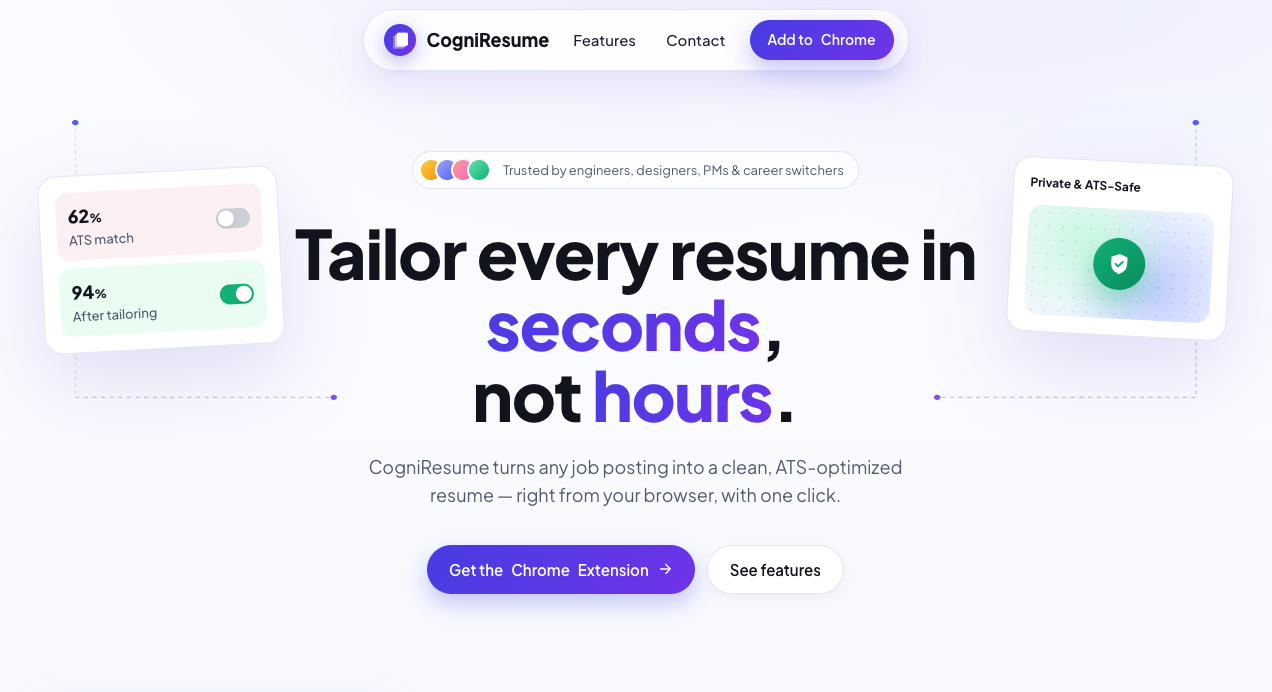
Three Interviews in just one week. Something Was Working.
Let me be honest: ZenCV was barely a product. It was a pilot test dressed up as a project. No sign-up flow, no database, just a cloned repo, a JSON file of my CV data, and a browser extension that stitched it all together. Anyone who wanted to use it had to be a developer willing to read the codebase, set up their own LLM API key, and get comfortable editing raw JSON.
Not exactly a smooth onboarding experience.
But here’s the thing: it worked. I used it to apply for work-student positions at a time when the job market had gone quiet. Companies had stopped hiring. Inboxes everywhere were echoing. And yet, within one week, I had three interview callbacks.
That’s not nothing. That’s actually kind of a miracle.
So I did what any reasonable developer would do after an unexpected win: I decided to scale the whole thing from scratch.
The Problem with the Prototype
The original ZenCV architecture made sense for one person with a developer’s mindset. Here’s what it actually did:
- You’d maintain a hand-crafted JSON file of your professional history
- When you visited a job posting, the extension would send that JSON + the job description to an LLM
- The LLM would restructure and regenerate a new CV JSON tailored to that specific role
- The extension would render that JSON into a downloadable PDF directly in the browser
Elegant? Yes. Accessible? Absolutely not. To use it, you needed to understand the codebase, wire up your own API key, and essentially be your own DevOps team. Turning this into something real people could use meant rebuilding it properly.
Building the Real Thing
The goal was clear: make it so easy that clicking a button is genuinely the hardest part.
Step 1: Kill the Friction
No long sign-up forms. No email verification loops. No “please enter your password twice.”
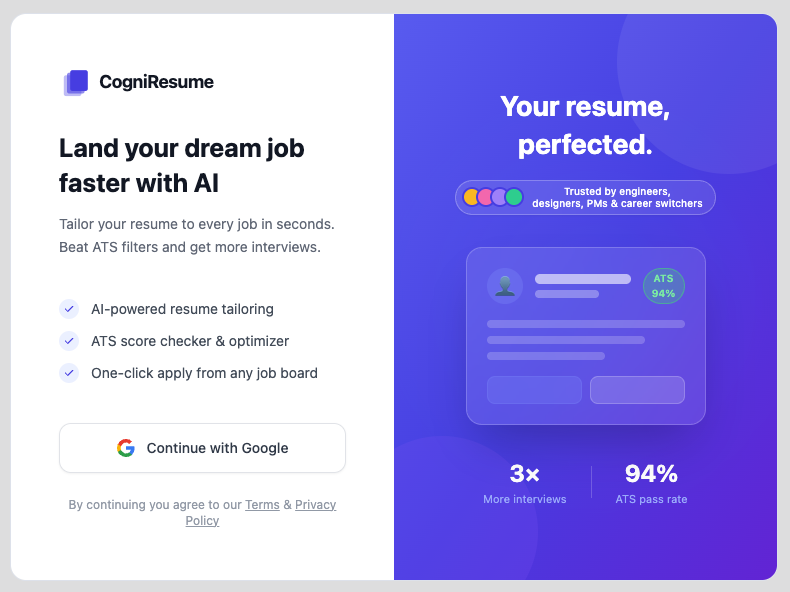
Two clicks. You’re in. No forms, no passwords.
CogniResume uses Google OAuth, so you’re in with two clicks. That’s it. The kind of onboarding flow that makes you wonder why everything else is so complicated.
Step 2: Let the System Learn You
Once you’re signed in, you upload your existing CVs. As many as you want. The system parses them using an agentic workflow that builds a complete picture of your professional history: your skills, your experience, your projects, all of it. The more you upload, the richer the profile. The richer the profile, the more accurately tailored your generated CVs will be.
You do this once. Then you’re ready to go.
Step 3: One Click on Any Job Page
Here’s where it all comes together. You’re browsing a job portal, reading a description that looks promising. You click the CogniResume extension icon in your toolbar. The system reads the job description, cross-references your professional profile, and starts generating.
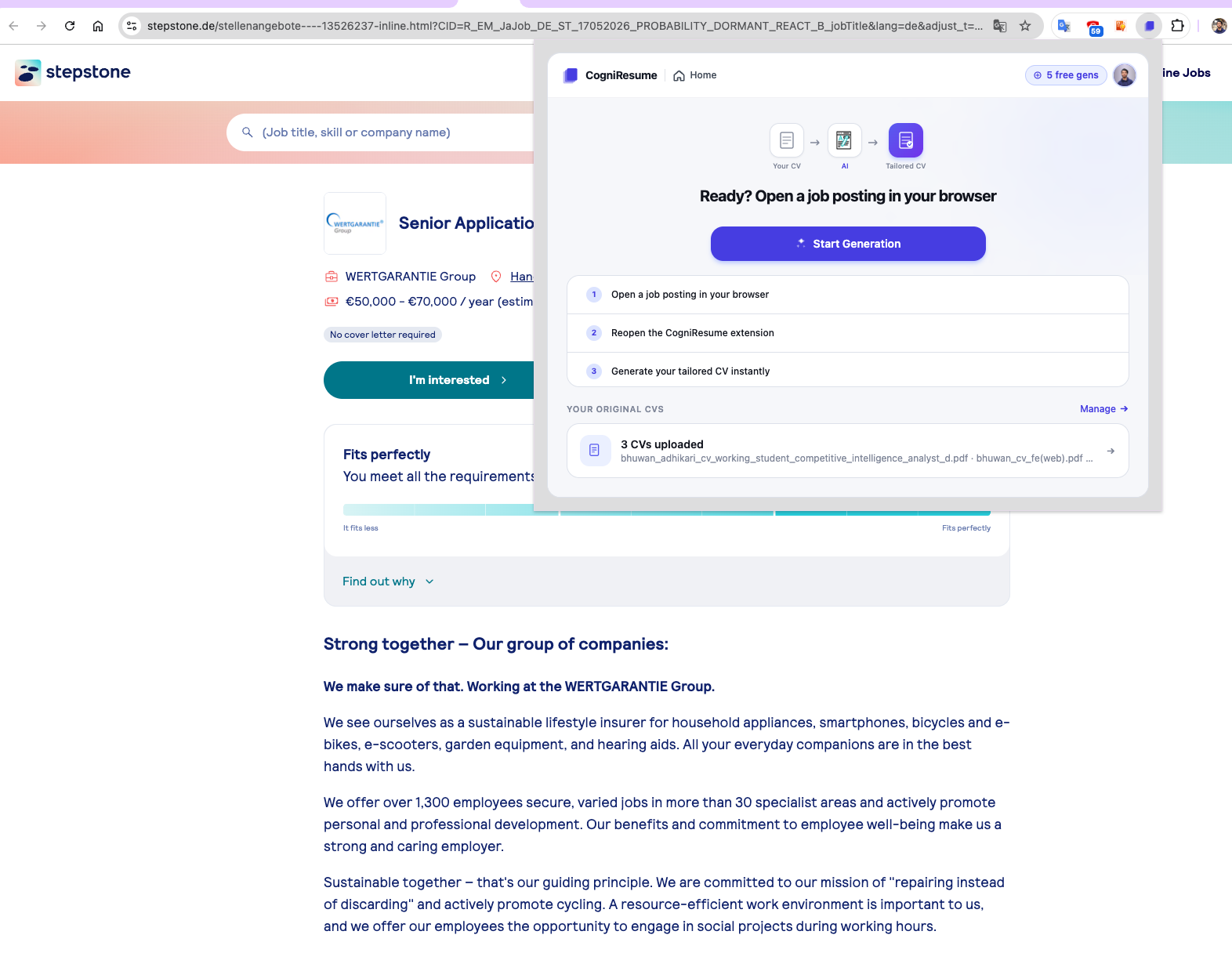 The extension sits right on top of the job posting. One click starts the whole pipeline.
No copying text. No pasting into another tab. No prompt engineering on your end. Just click, and wait a few seconds.
Under the Hood
I want to be precise about how this was built, because the word “AI” gets thrown around in ways that can mean anything from “we added a GPT button” to “the AI is making every decision.” CogniResume is neither.
The system is built around a series of focused, orchestrated AI agent system, each handling a specific, well-defined task:
- Profile Retrieval: Pulls the relevant parts of your stored professional history
- JD Parser/CV Generation/Cover Letter Generation: Takes the raw JD, cleans it to be used for later, and produces a new tailored CV JSON that improves your ATS score without hallucinating experience and also can generate custom cover letter too.
The Architecture Behind It
To keep the AI agents productive and contextually grounded during development, I organized the entire system in a monorepo. The Chrome extension, the landing website, and the backend all live in the same repository. This means that when delegating a task to a coding agent, it can instantly navigate across the full codebase without losing context. No switching between repos, no broken references, no “where does this connect to?” moments.
It also makes the system significantly easier to reason about as a human developer.
What Gets Generated (And How You Get It)
Your CV, Your Template
Once your CV is generated, you can choose from multiple templates. Each one renders your CV data differently: different layouts, different visual styles, different emphasis. Want a template that includes a profile photo? Upload one during setup and it’ll be automatically populated.
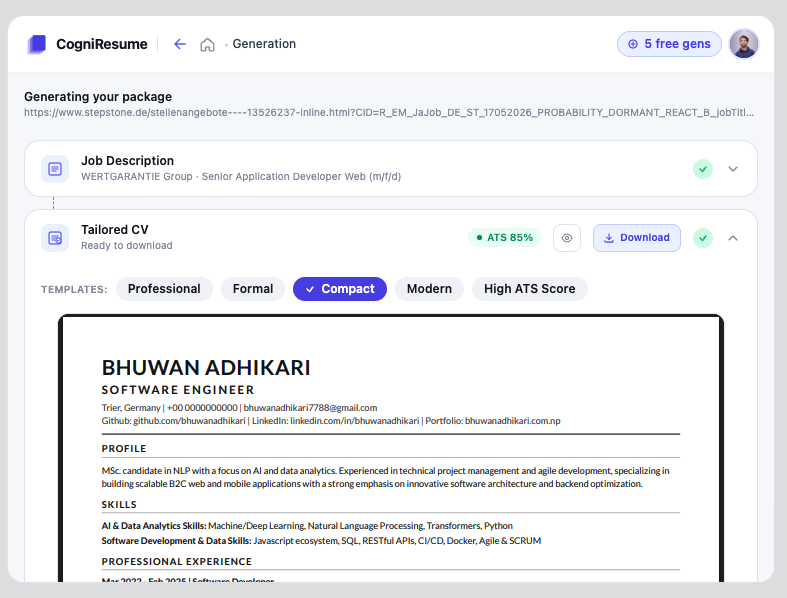 ATS score, template picker, and a live preview of your tailored CV, all in one screen.
Cover Letter (Optional)
If the job calls for one, generate it. If it doesn’t, skip it. Skipping saves credits, which is a small but meaningful design decision. You should only pay for what you actually need.
Download and Go
Both the CV and cover letter are downloadable as PDFs. The generation is tracked, LLM usage is logged, and the system always knows exactly how many credits you’ve used and how many remain.
The Credit Model: Try Before You Trust
Every new user gets 6 free generations to start. That’s enough for two complete job applications, one CV and one cover letter per application.
This was an intentional product decision. Trust is earned, not assumed. I didn’t want to ask people to pull out their card before they’d seen what the tool could actually do. Use the free credits, see the quality of what gets generated, and then decide.
If you like it, you can buy more credits in packs of 3, 5, 10 dollars or a custom amount via Stripe, a payment platform that people actually trust. No subscriptions, no recurring charges. Just pay for what you use.
Why This Actually Works Better Than Pasting Into ChatGPT
This is the part I want to be direct about, because it’s where CogniResume genuinely differs from the obvious alternative: just opening ChatGPT and saying “here’s my CV and here’s the job description, rewrite this.”
That approach has real problems:
- Hallucination: Generic LLM outputs frequently fabricate experience, add skills you never claimed, or subtly change your job titles and dates
- Layout collapse: Ask an LLM to regenerate a formatted CV and it often breaks the structure, ignores your template, and produces something you’d be embarrassed to send
- No ATS awareness: Copying into a chat interface doesn’t give the model the structured signals it needs to optimize for ATS scoring
- Friction: You’re still copying, pasting, and prompting manually every single time
CogniResume’s generation flow is controlled end-to-end. The agents work with your actual professional data, not whatever they can infer from a conversation. The output is structured JSON rendered through a proper template engine. And because the whole process is automated from the extension, there’s no manual input after setup.
The result is a CV that genuinely improves your ATS score. Not by stuffing keywords, but by intelligently restructuring your real experience to fit the language and priorities of each specific role.
What’s Coming Next
The product is live and growing. Here’s what’s on the roadmap:
- More CV templates: more layout options, more visual variety
- Application notes: attach notes to each generated CV/cover letter so you remember exactly what you sent and can prepare for interviews accordingly
- Full application dashboard: track every job you’ve applied to, what version of your CV you used, whether you heard back, and where you are in the process
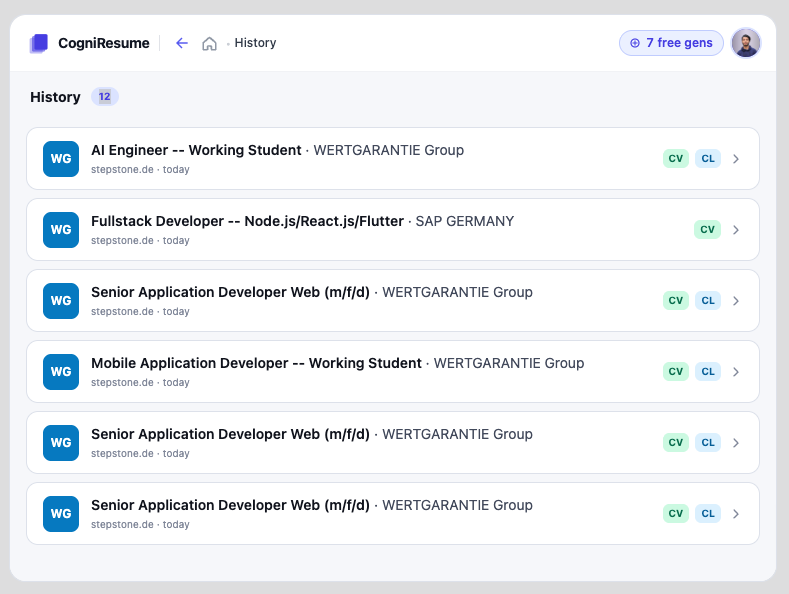 The history view already tracks every CV and cover letter you’ve generated. The full dashboard is the next step.
That last one is something I find genuinely useful. If you land an interview, wouldn’t it be helpful to pull up exactly what CV got you there, before you walk in?
Not a vibe coded product..
The development process these days has been extreme rapid, everyday. Everyone is using AI to write code and so do I. But this word ‘Vibe Coding’, I dont like this word, neither do I do vibe coding. Considering a software system a black box and giving commands to LLM to work on everything on behalf of you can expose the developed products to serious risks. You loose the the knowledge of the technicalities and the product is hardly scalable. Instead of saying ‘Mr. Director, Make a Film!’, I plan the story, map the scenes, assign roles to the camera crew, the editors, the sound team, and I stay aligned with the overall vision while each group focuses on their part. And as Andrej Karpathy said ‘Agentic Engineering’, I like saying ‘Agentic Engineering’ and I believe I do it. I let AI work on micro-tasks instead of letting it decide for every bit of the architecture and design principles. And this product was possible in short period of time with agentic engineering.
Try It
CogniResume is live in the Chrome Web Store.
Head to cogniresume.com to add it to your browser. Six free generations are waiting for you on the other side.
And if you have feedback, the extension has a built-in feedback button. Use it. This thing gets better the more people tell me what’s broken or missing.
If you missed the original ZenCV write-up that started all of this, you can read it here.